
Handy Windows Command Prompt commands
Below are some handy Windows Command Prompt commands that can help you troubleshoot and manage your system more effectively.
For commands that produce a lot of output, consider redirecting the output to a text file for easier reading.
You can do this by appending > filename.txt to the command.
Another option is appending | clip when using PowerShell to copy the output directly to the clipboard so you can paste it in a text editor.
| Command | Description |
|---|---|
| chkdsk | Checks the file system for logical and physical errors. Can fix some issues automatically using /f or /r parameters. |
| Dism /Online /Cleanup-Image /RestoreHealth | Repairs the Windows image, fixing corruption and other issues that may affect system stability. |
| gpupdate /force | Forces an immediate update of Group Policy settings. Useful for applying changes without waiting for the next automatic refresh. |
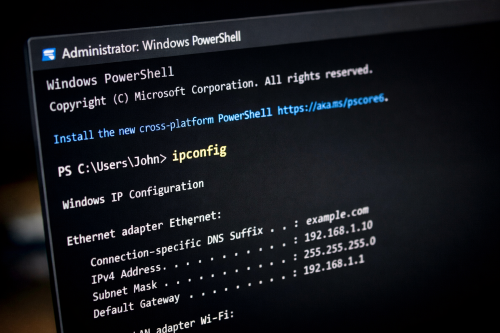
| ipconfig | Displays the current network configuration, including IP address, subnet mask, and default gateway. |
| ipconfig /displaydns | Shows the contents of the DNS resolver cache. |
| ipconfig /flushdns | Clears the DNS resolver cache, which can help resolve certain connectivity issues. |
| powercfg /batteryreport | Generates a detailed battery report for laptops, showing past usage and battery health. |
| netstat -anob | Displays active network connections, their ports, and the associated app name and process ID (PID) using the port. Useful for identifying suspicious connections, and finding which application is using a particular port. |
| sfc /scannow | Scans all protected system files and replaces corrupted files with a cached copy. |
| whoami | Displays the current logged-in user name along with domain information. |
| whoami /groups | Lists all the groups the current user belongs to. |
| winget upgrade | Lists all installed applications that have available updates via Windows Package Manager. |
| winget upgrade –all | Upgrades all installed applications that have available updates via Windows Package Manager. |
| wmic product get name | Lists all installed software on the system. Useful for inventory or troubleshooting purposes. |
| wmiobject win32_winsat | Displays the Windows System Assessment Tool (WinSAT) scores, which provides hardware performance scores to quickly see a PCs overall performance. |
I intend to keep updating this list as I discover more useful commands. If you know of others, please let me know in the comments.
If you like these, you might also like my Common Run commands to access various Windows settings and apps post.
I hope you find these helpful. Happy computing!
Leave a Comment
Your email address will not be published. Required fields are marked *